It is indisputable the fact that whether your online store get many traffics or not depends on your home page partly. The reason is that your customer will be easier to get impressed by your home page at the first glance. It is very important to give them feelings of a professional and friendly site.
Therefore, I will guide you how to create a Shopify theme and upload your theme
1.The very first step to own one online store is creating account registration. You access in Shopify.com to create a new account.
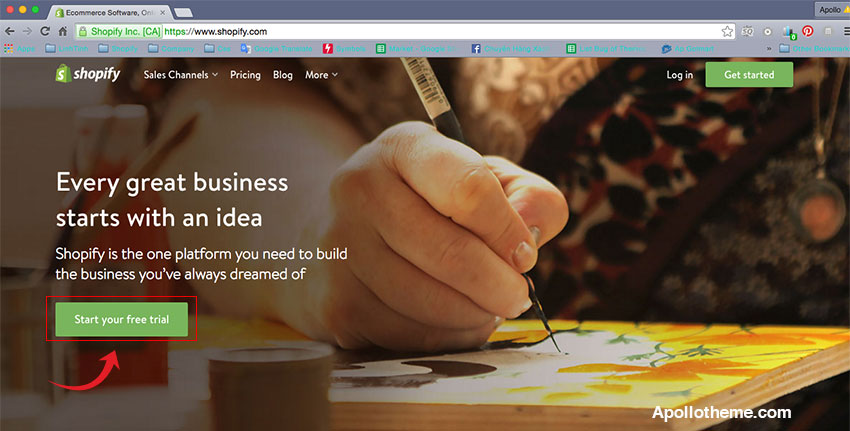
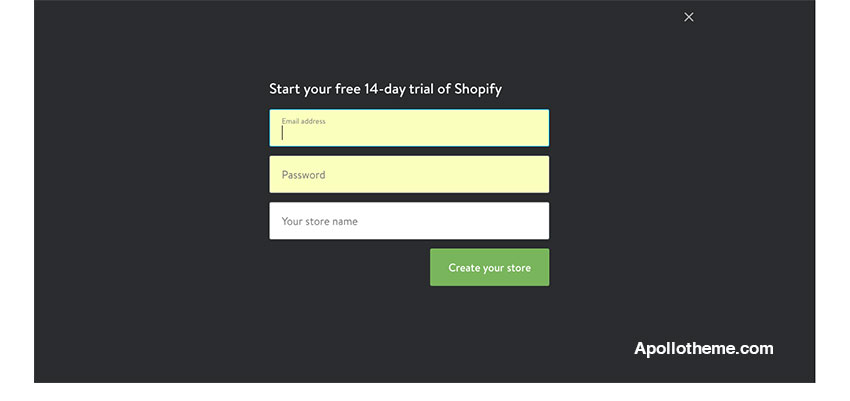
2. If you are newbie to Shopify theme, it is advisable to experience a trial version within 14 days. It is easier for you to select a theme in which you are interested after 14 days. Then, the administrator of Shopify theme store will require you to provide some personal information such as name, address, mobile number, zip code and many more after you create your store. You should fulfill all before moving to next step.

About the author
Apollo Theme is the most modern provider of Shopify Template. With 9 years experience, we bring many modern and perfect themes to everyone. With the aim of providing high-quality products for customers, our talented team always tries to work hard and catch up the new trend of technology and design to give you more valued template with a unique combination of new ideas, flexible architecture and easy-to-use product. We are really appreciated it and hope that you enjoy it! Apollo Template want bring the highest customer satisfaction, we have professional supporting team to assist all our buyer. All support will be conducted through our support ticket "https://apollotheme.com/ticket/", send your problems to our email: "apollotheme@gmail.com" or at our facebook with name “Apollo Theme”. We usually get back to you within 24hours. (except holiday seasons which might take longer).

![[30% Off] Theme and Module Black Friday and Cyber Monday Sales ApolloTheme 2022](http://apollotheme.com/wp-content/uploads/2022/11/shopify-apollotheme-back-friday-1.jpg)


![[25% OFF] HAPPY VALENTINE’S DAY 2018](http://apollotheme.com/wp-content/uploads/2018/01/banner-preview.jpg)